WordPress SEO: Rank #1 with These On-Page Tricks
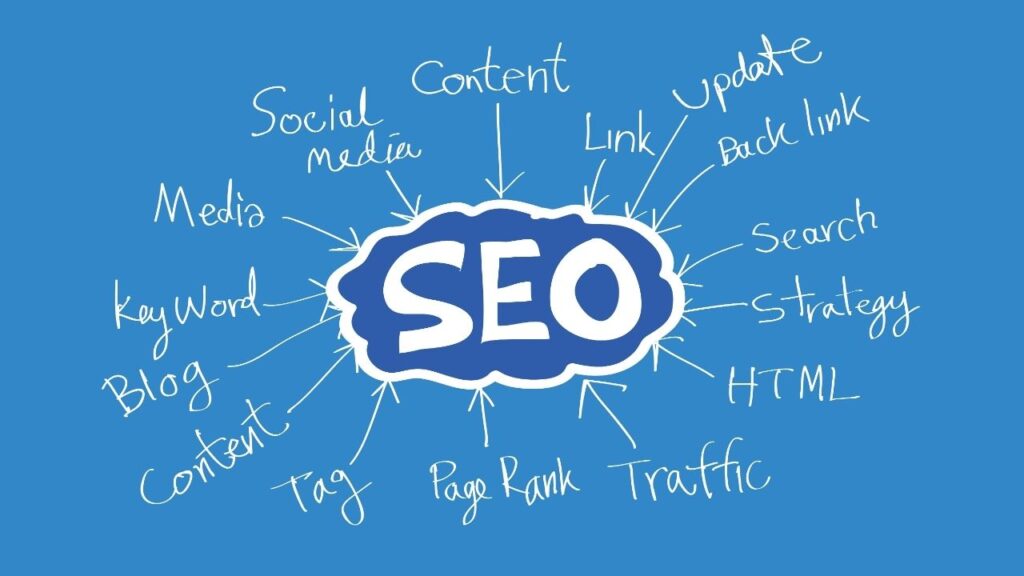
Great design and plugins are not enough. If your content is not optimized for search, it will stay buried on page 5 of Google while your competitors collect the clicks, leads, and sales. The good news? WordPress gives you everything you need to win—if you apply on‑page SEO the right way.
In this lesson, you will learn a step‑by‑step framework to optimize any WordPress post or page so it can realistically compete for top 3 positions. No fluff, just practical actions you can apply on your next article today.
1. Start With the Right Keyword, Not Just Any Keyword
On‑page SEO begins before you open the WordPress editor. Publishing “whatever comes to your mind” is the fastest way to waste time.
For each article:
-
Choose one primary keyword (Focus Keyword) that describes the main search intent.
-
Add 2–4 supporting keywords (LSI/related terms) that people also use when searching the same topic.
-
Make sure the keyword has real search volume and realistic competition for your site’s authority.
Example for this lesson:
-
Primary: WordPress on-page SEO
-
Supporting: WordPress SEO checklist, on‑page SEO for WordPress, optimize WordPress blog posts.
Tools you can use: free keyword tools, Google suggestions, or even the keywords Rank Math recommends inside the editor.
2. Craft SEO‑Friendly Titles That Get Clicks
Google doesn’t rank content only because it’s optimized; it also wants results that get high click‑through rates (CTR). Your title tag is the first battle.
Best practices:
-
Place the primary keyword near the beginning of the title.
-
Promise a clear benefit (rank higher, get more traffic, speed up site…).
-
Use numbers or power words where appropriate, but avoid clickbait.
-
Keep it under ~60 characters so it doesn’t get cut off.
Example structure:
“WordPress SEO: [Primary Benefit] With [Number] Proven On‑Page Tricks”
In WordPress, you set the SEO title directly in Rank Math under the Edit Snippet section. Make sure it’s slightly more “clickable” than your H1 but still consistent.
3. H1, H2, H3: Heading Structure That Google Loves
Headings create the logical outline of your content for both humans and search engines.
-
Use exactly one H1 per page: usually the post title.
-
Use H2 for main sections (problems, steps, strategies).
-
Use H3 for subpoints, examples, or FAQs.
Include your primary keyword once in the H1 and naturally in one or two H2s. Use related keywords across other headings, but never stuff them. The goal is clarity: if a reader skimmed only your headings, they should still understand the story of the article.
4. URL Slugs: Short, Clean, and Keyword‑Focused
Ugly URLs like mywebsite.com/?p=123 or mywebsite.com/2025/01/15/blog-post-123 are bad for both UX and SEO.
Instead:
-
Use short URLs that contain the primary keyword.
-
Remove stop words like “the, a, in, of” unless needed for clarity.
-
Avoid dates in URLs; they make content look outdated.
Example:
/wordpress-seo-on-page-tricks is far better than /2025/01/15/how-to-do-on-page-seo-in-wordpress-in-2025.
You can edit the permalink right under the title in the WordPress editor, then confirm it in Rank Math’s snippet preview.
5. Open Strong: Introductions That Hook and Rank
Google and users both decide quickly whether your page is relevant. Your introduction should:
-
Mention the primary keyword once in the first 100 words.
-
Clearly explain the problem and promise the outcome of reading the article.
-
Avoid fluff; get straight to the value in 2–3 short paragraphs.
Think of the intro as your elevator pitch: if a busy reader only read that part, would they feel this page is exactly what they searched for?
6. Optimize Content for Humans First, Algorithms Second
Word count alone does not rank pages. What matters is depth, clarity, and usefulness.
Aim to:
-
Answer all logical questions the searcher might have about the topic.
-
Use short paragraphs, bullet lists, and visuals to make content easy to consume.
-
Naturally sprinkle your primary and secondary keywords through the text (no more than 1–2% density).
If your article genuinely helps, users will spend more time on the page, scroll more, and interact more—metrics that search engines use as positive ranking signals.
7. Internal Links: Your Secret SEO Weapon
Search engines discover and evaluate your pages partly through links. Internal links are fully under your control and incredibly powerful.
For each new article:
-
Link out to 3–7 relevant posts or pages on your own site (e.g., previous lessons in this course).
-
Add at least one link in from an older related article to the new post.
-
Use descriptive anchor text that includes or hints at the target page’s topic.
For this lesson:
-
Link from the plugin lesson (15 Must‑Have WordPress Plugins) to this SEO lesson.
-
Link to the upcoming lesson on speed and security, since they strongly affect SEO.
Over time, this builds a strong topical network that helps Google understand your site as an authority.
8. External Links: Show You Live in a Real Ecosystem
Linking to high‑quality external resources is not “giving away SEO juice” when done correctly. It shows search engines you are part of a relevant ecosystem.
Guidelines:
-
Link to 2–4 authoritative sites where they add value (documentation, research, tools).
-
Avoid linking to low‑quality or spammy pages.
-
Set external links to open in a new tab for better UX.
Think of them as references in a research paper: they support your arguments and increase credibility.
9. Images, Alt Text, and Visual Structure
Images make your content memorable and improve dwell time, but they must be optimized.
Best practices:
-
Use compressed images (WebP or optimized PNG/JPEG) to keep size low.
-
Rename files descriptively (e.g.,
wordpress-on-page-seo-checklist.png). -
Add descriptive alt text that includes the primary or related keyword when it makes sense.
Avoid keyword stuffing in alt text; describe what the image actually shows.
Suggested images for this lesson:
-
Image 1 – SEO Snippet Preview in WordPress
-
Alt: “WordPress Rank Math SEO snippet preview showing optimized title URL and meta description”
-
-
Image 2 – Heading Structure Diagram
-
Alt: “Example of WordPress blog post with clear H1 H2 and H3 heading structure for on-page SEO”
-
-
Image 3 – Internal Linking Map
-
Alt: “Diagram of internal links between WordPress posts to strengthen topical authority and SEO”
-
-
Image 4 – On-Page SEO Checklist
-
Alt: “On-page SEO checklist for WordPress including keywords headings URLs images and internal links”
-
Use these visuals at relevant sections to break the text and drive engagement.
10. Schema, FAQs, and Rich Snippets
Rich snippets (stars, FAQs, how‑to steps) can dramatically increase click‑through rates. With WordPress and Rank Math, adding schema is straightforward.
Ideas for this lesson:
-
Use Article schema as the default for blog posts.
-
Add FAQ schema at the bottom with 3–5 common questions about WordPress on‑page SEO.
-
For tutorials, consider HowTo schema when your content is a strict step‑by‑step process.
Rank Math lets you insert FAQ blocks directly in the editor and automatically handles the structured data. Make sure questions and answers are concise and genuinely useful.
11. On‑Page Technical Checks: Speed, Mobile, and Indexability
Even perfectly written content won’t rank if search engines can’t crawl it or if it’s painful to load.
Quick checklist:
-
Mobile‑friendly: Test with Google’s mobile‑friendly tool. Your theme should be responsive by default.
-
Speed: Use a caching plugin from your earlier lesson (e.g., WP Super Cache or similar), compress images, and avoid heavy scripts.
-
Indexability: Check that your post is not set to “noindex” in Rank Math and that the overall site is not blocked in Settings → Reading.
On‑page SEO and technical SEO are two sides of the same coin; both must be in good shape.
12. Full On‑Page SEO Checklist for Every WordPress Post
Before you hit publish, go through this quick checklist:
-
Primary keyword chosen with realistic competition.
-
Keyword used in:
-
SEO title
-
H1
-
URL slug
-
First 100 words
-
At least one H2
-
-
Meta description manually written, not auto‑generated.
-
Headings structured logically (H1, H2, H3) with related keywords.
-
Content answers the main search intent in depth.
-
3–7 internal links to related content.
-
2–4 external links to high‑quality sources.
-
All images optimized and have descriptive alt text.
-
Rank Math shows green scores for SEO and readability (as a guide, not a religion).
-
Schema type set correctly (Article + optional FAQ/How To؟).
Make this your publishing ritual and your entire site quality will rise exponentially over time.
