What Is WordPress? A Beginner-Friendly Introduction (2025 Guide)
WordPress powers 43% of all websites worldwide, from personal blogs to Fortune 500 company sites—making it the world’s most popular content management system (CMS). This 2025 beginner guide demystifies what WordPress is, its types, advantages, and why non-technical users choose it for blogs, businesses, or e-commerce without coding skills.
What Exactly Is WordPress? Core Concept Explained
WordPress started as a blogging tool in 2003 but evolved into a full website builder. It’s open-source software—free to download, modify, and distribute under GPL license. Core features include drag-and-drop editing, unlimited pages/posts, and extensibility via 60,000+ plugins.
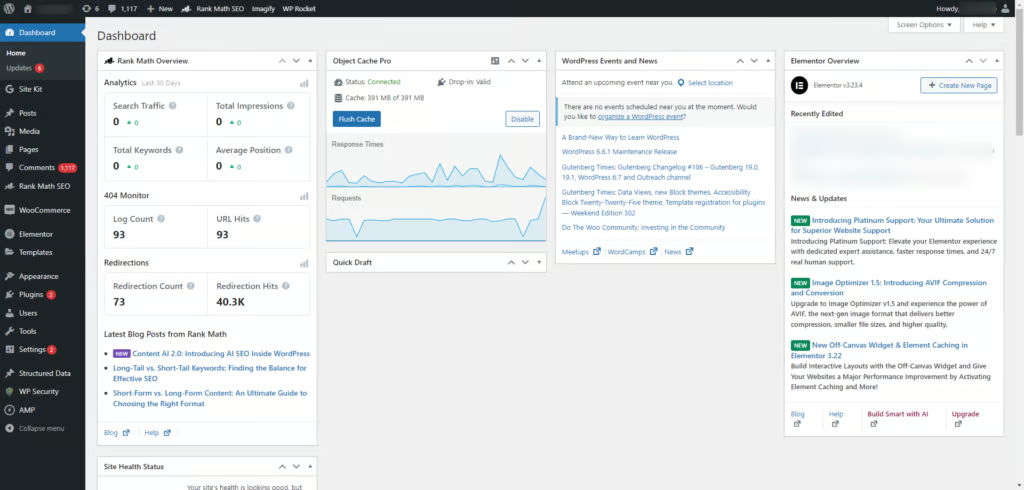
Key components:
- Dashboard: Central admin interface.
- Themes: Visual designs (13,000+ free).
- Plugins: Add functionality (SEO, forms, stores).
- Gutenberg Blocks: Modern visual editor.
No server management needed—focus purely on content creation.
WordPress.org vs WordPress.com: Which Should You Choose?
Two versions serve different needs:
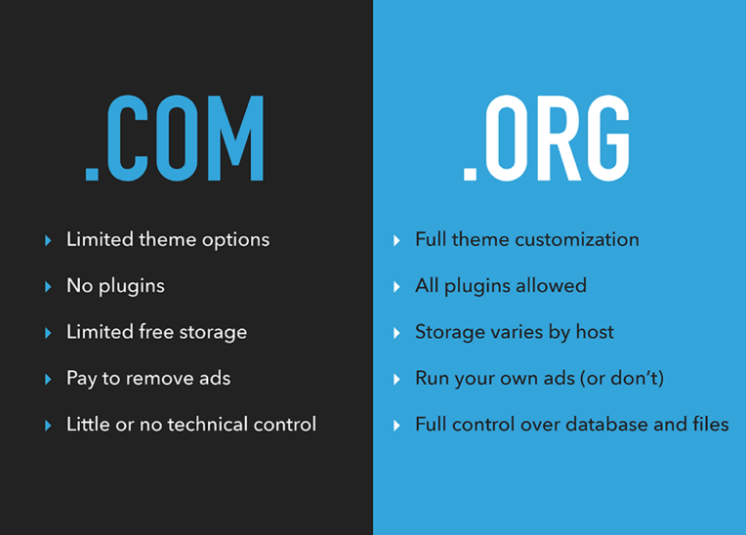
WordPress.org (Self-Hosted):
- Download free from wordpress.org.
- Full control: Custom plugins/themes, ownership.
- Requires hosting/domain (~$5/month).
- Ideal for: Businesses, NGOs like Earth’s Guards, scaling sites.
WordPress.com (Hosted):
- All-in-one platform with built-in hosting.
- Free tier limited; paid plans $4-45/month.
- Managed updates/security.
- Best for: Simple blogs, testing ideas.
| Feature | WordPress.org | WordPress.com |
| Cost | Hosting only | Subscription |
| Customization | Unlimited | Plan-limited |
| Plugins | 60K+ free | Select only |
| Ownership | 100% yours | Platform-hosted |
| Scalability | Enterprise-ready | Medium sites |
Recommendation: Start with .org for professional flexibility.
Types of Websites You Can Build with WordPress
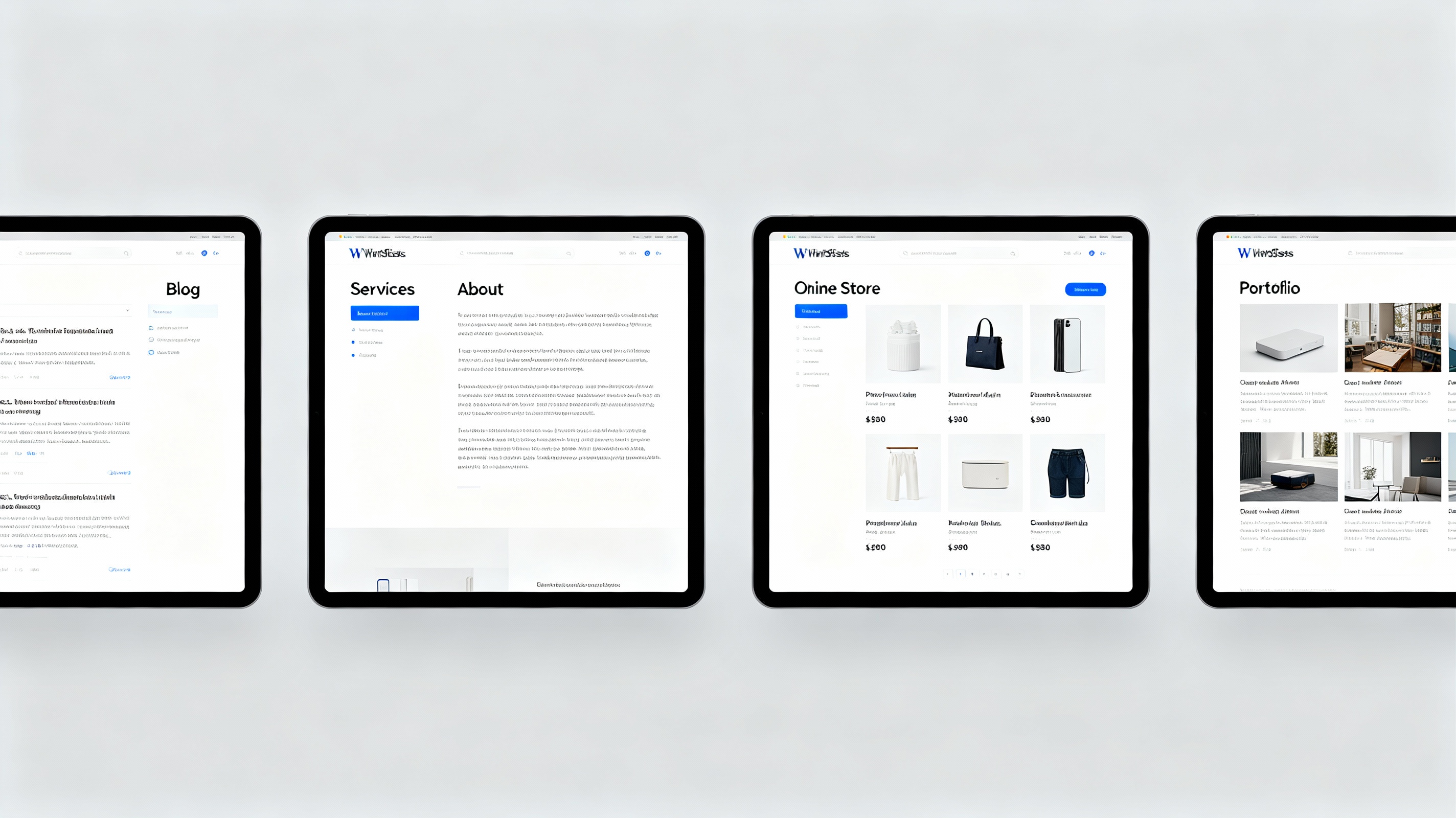
Versatility defines WordPress—powers BBC, Disney, TechCrunch:
- Blogs/Portfolios: Categories, tags, RSS feeds.
- Business Sites: Contact forms, services pages.
- Online Stores: WooCommerce (free e-commerce).
- NGO/Membership: Events, donations, forums.
- Forums/Communities: bbPress plugin.
Market stats: 455 million active sites; handles 15 billion monthly visits.
Key Advantages: Why WordPress Dominates in 2025
Beginner-Friendly: Intuitive interface—no HTML/CSS required.
SEO Powerhouse: Clean code, fast loading, Google loves it.
Mobile-Responsive: Themes auto-adapt to phones/tablets.
Community Support: Forums, tutorials, 1-hour expert help.
Security: Regular updates; plugins block 95% threats.
Speed: Optimized core; CDN-ready.
Real-world proof: Grows with you—from 100 to 1M visitors/month.
Common Disadvantages and How to Overcome Them
Maintenance: Updates needed weekly. Fix: Auto-updates + backup plugins.
Learning Curve: Dashboard overwhelm. Fix: This series!
Security Risks: Popular = target. Fix: Strong passwords, firewall plugins.
Hosting Costs: $50-100/year. Fix: Shared plans for starters.
Myth busted: “WordPress sites look generic.” Truth: Premium themes + custom CSS create unique brands.
Real-World Examples and Success Stories
- NGOs: Environmental orgs use donation plugins + events calendars.
- Entrepreneurs: Portfolio sites convert 3x better with testimonials.
- Developers: Custom themes generate $50K+/year freelancing.
Your path: Blog → Business site → Client projects.
FAQ
Q: What is WordPress used for?
A: Blogs, business sites, online stores, portfolios—any website type.
Q: Is WordPress free?
A: Core software is free; hosting and premium themes cost extra.
Q: WordPress.org vs WordPress.com—which is better?
A: .org offers full control (self-hosted); .com is managed but limited.
Getting Ready for Your First WordPress Site
WordPress installs in 5 minutes (next article covers). Minimum requirements: PHP 8.0+, 2GB hosting RAM.
Future-proof: WordPress 6.5+ supports AI content tools, headless CMS.
CTA: Set up your site in Article 2—domain, hosting, instant install awaits.
