Elementor Performance Optimization: Achieving Sub-Second Load Times
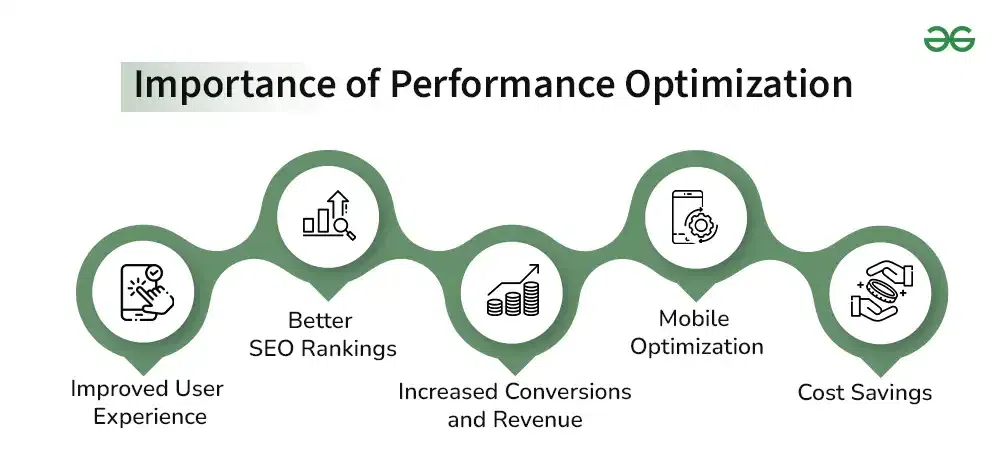
In the digital landscape, speed is not just a feature; it is a necessity. Google has made it clear that website speed is a critical ranking factor, and users expect pages to load in under two seconds. While Elementor offers unparalleled design flexibility, its visual nature can sometimes lead to performance bottlenecks if not managed correctly. This professional guide outlines the advanced strategies and technical configurations required to optimize an Elementor website, ensuring it achieves lightning-fast, sub-second load times and excels in Core Web Vitals (CWV) [1].
The Technical Challenge of Visual Builders
Visual page builders like Elementor generate a certain amount of overhead (extra HTML, CSS, and JavaScript) to enable their drag-and-drop functionality. The key to optimization is minimizing this overhead and ensuring the browser can render the critical content as quickly as possible.
Core Web Vitals and Elementor:
|
Metric
|
Description
|
Elementor Impact Area
|
Optimization Goal
|
|
Largest Contentful Paint (LCP)
|
Measures the time it takes for the largest content element to become visible.
|
Hero sections, large images, and background videos.
|
LCP < 2.5 seconds.
|
|
First Input Delay (FID)
|
Measures the time from when a user first interacts with a page to the time the browser is actually able to begin processing that interaction.
|
Excessive JavaScript execution and large third-party scripts.
|
FID < 100 milliseconds.
|
|
Cumulative Layout Shift (CLS)
|
Measures the total of all individual layout shift scores for every unexpected layout shift that occurs during the entire lifespan of the page.
|
Unoptimized font loading, images without defined dimensions, and dynamically injected content.
|
CLS < 0.1.
|
Advanced Elementor Optimization Techniques
Achieving elite performance requires a multi-layered approach, combining server-side efficiency with front-end code optimization.
1. Server-Side Excellence and Caching
The foundation of a fast Elementor site is a high-quality hosting environment.
•Managed WordPress Hosting: Invest in hosting specifically optimized for WordPress, featuring server-level caching (Varnish, Redis) and PHP 8.2+ support.
•Object Caching: Implement Redis or Memcached for object caching to speed up database queries, which is crucial for dynamic sites built with Elementor Pro’s features.
2. Elementor’s Built-in Performance Features
Elementor includes powerful internal settings designed to reduce bloat.
•Optimized DOM Output: Found under Elementor > Settings > Features, this setting significantly reduces the number of wrapper divs, leading to a cleaner, lighter HTML structure.
•Improved Asset Loading: Enables better loading of Elementor’s CSS and JavaScript files, ensuring only necessary assets are loaded on a given page.
•Disable Unused Widgets: Go to Elementor > Settings > Experiments and disable any widgets you do not use across your site. This prevents their associated CSS/JS from loading.
3. Image and Media Strategy
Images are often the single largest contributor to slow load times.
•Next-Gen Formats: Convert all images to WebP format. Elementor is fully compatible, and WebP offers superior compression without significant quality loss.
•Lazy Loading: Ensure lazy loading is enabled for all images and videos below the fold. Elementor and most modern WordPress setups support this natively.
•Specify Dimensions: Always define the width and height attributes for images to prevent Cumulative Layout Shift (CLS).
“A fast website is a better website. It improves user satisfaction, increases conversion rates, and is rewarded by search engines. Performance optimization is the technical SEO you can’t afford to ignore.”
Minimizing Third-Party Impact
Elementor sites often rely on third-party plugins and scripts, which can severely impact performance.
•Audit Plugins: Regularly audit your plugin list. Remove any plugin that duplicates Elementor’s functionality or is not actively maintained.
•Delay JavaScript Execution: Use a performance plugin (like WP Rocket or LiteSpeed Cache) to delay the loading of non-critical JavaScript (e.g., analytics, social media feeds) until user interaction. This dramatically improves LCP and FID scores [3].
•Local Font Hosting: Avoid loading Google Fonts directly from Google’s servers. Download and host them locally to eliminate external DNS lookups and improve font loading speed.
Conclusion: Mastering Elementor performance is a continuous process that requires technical diligence. By focusing on server-side optimization, leveraging Elementor’s native performance features, and adopting a disciplined approach to media and third-party scripts, developers can ensure their Elementor-built websites achieve elite speed metrics. This level of optimization is essential for any professional seeking to deliver a truly high-performing digital experience.
